Blender: Complete 3D Production.
A 64-lesson Blender 5.2 LTS path through modelling, sculpting, materials, Geometry Nodes, rigging, animation, simulations, lighting, rendering, compositing, Grease Pencil, editing and Python workflows.
Blender 5.2 LTS on a suitable computer is required for practical work. Blender is free; a three-button mouse is helpful. Use modest scene and simulation settings on limited hardware. This is a broad practical production course, not a claim to teach every specialist feature or an official Blender qualification. Optional external demonstrations are supplementary; all assessed work has original written teaching and guided exercises.
Ongoing course access.
Blender: Complete 3D Production: a practical path from foundations to final project
A 64-lesson Blender 5.2 LTS path through modelling, sculpting, materials, Geometry Nodes, rigging, animation, simulations, lighting, rendering, compositing, Grease Pencil, editing and Python workflows. Study 64 chapters in 16 modules, practise each technique and submit a coherent project for human review.
What you’ll be able to do
- Model, sculpt, unwrap and shade original assets with inspectable source files
- Build procedural setups, usable rigs, animation and controlled simulation tests
- Light, render, composite and edit a coherent presentation with resource-aware settings
- Use Grease Pencil, tracking, interchange and safe Python automation with documented validation
Inside the course
Studio 01 · Get comfortable before buildingWorkspace, navigation and a safe production workflow
4 chapters · Practice exercises · Module quiz
Workspace, navigation and a safe production workflow
4 chapters · Practice exercises · Module quizStudio 02 · Build intentional geometryMesh modelling and clean surface structure
4 chapters · Practice exercises · Module quiz
Mesh modelling and clean surface structure
4 chapters · Practice exercises · Module quizStudio 03 · Keep changes editableNon-destructive hard-surface assets
4 chapters · Practice exercises · Module quiz
Non-destructive hard-surface assets
4 chapters · Practice exercises · Module quizStudio 04 · Move from broad forms to usable surfacesSculpting, remeshing and retopology
4 chapters · Practice exercises · Module quiz
Sculpting, remeshing and retopology
4 chapters · Practice exercises · Module quizStudio 05 · Make surface information predictableUVs, textures and texture painting
4 chapters · Practice exercises · Module quiz
UVs, textures and texture painting
4 chapters · Practice exercises · Module quizStudio 06 · Describe light interaction clearlyMaterials, shader nodes and believable surfaces
4 chapters · Practice exercises · Module quiz
Materials, shader nodes and believable surfaces
4 chapters · Practice exercises · Module quizStudio 07 · Design rules rather than individual copiesGeometry Nodes and procedural asset systems
4 chapters · Practice exercises · Module quiz
Geometry Nodes and procedural asset systems
4 chapters · Practice exercises · Module quizStudio 08 · Build controls that survive motionRigging, parenting and deformation
4 chapters · Practice exercises · Module quiz
Rigging, parenting and deformation
4 chapters · Practice exercises · Module quizStudio 09 · Make movement communicate intentAnimation, timing and reusable motion
4 chapters · Practice exercises · Module quiz
Animation, timing and reusable motion
4 chapters · Practice exercises · Module quizStudio 10 · Predict, cache and inspect behaviourPhysics, simulation and resource-aware experiments
4 chapters · Practice exercises · Module quiz
Physics, simulation and resource-aware experiments
4 chapters · Practice exercises · Module quizStudio 11 · Make the scene readableCameras, composition and lighting
4 chapters · Practice exercises · Module quiz
Cameras, composition and lighting
4 chapters · Practice exercises · Module quizStudio 12 · Render reliably instead of guessingRendering, passes and production budgets
4 chapters · Practice exercises · Module quiz
Rendering, passes and production budgets
4 chapters · Practice exercises · Module quizStudio 13 · Combine images with evidenceCompositing, tracking and visual-effects integration
4 chapters · Practice exercises · Module quiz
Compositing, tracking and visual-effects integration
4 chapters · Practice exercises · Module quizStudio 14 · Draw with layers, depth and timingGrease Pencil and mixed 2D/3D presentation
4 chapters · Practice exercises · Module quiz
Grease Pencil and mixed 2D/3D presentation
4 chapters · Practice exercises · Module quizStudio 15 · Turn outputs into a coherent presentationVideo Sequencer, sound and delivery
4 chapters · Practice exercises · Module quiz
Video Sequencer, sound and delivery
4 chapters · Practice exercises · Module quizStudio 16 · Automate safely and prove the whole workflowPython, interchange and the final production handoff
4 chapters · Practice exercises · Module quiz
Python, interchange and the final production handoff
4 chapters · Practice exercises · Module quizYour final project
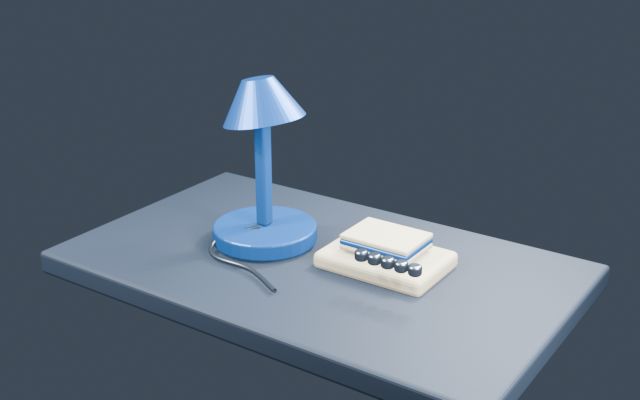
Deliver an original desk-workshop production: organised source .blend files, modelled and textured props, an articulated lamp with a short animation, deliberate lighting, still renders and an edited presentation sequence. Include separate sculpt/bake, Geometry Nodes, simulation, tracking/compositing, Grease Pencil and Python exercises, an asset-permission log, settings evidence and a troubleshooting reflection.
Submit your project link and a reflection after completing the lessons and quizzes. An administrator reviews your work and provides feedback before your certificate is unlocked.
Course questions, answered
How much does this course cost?
₦25,000 as a one-time payment, with no recurring course subscription.
What will I create?
Deliver an original desk-workshop production: organised source .blend files, modelled and textured props, an articulated lamp with a short animation, deliberate lighting, still renders and an edited presentation sequence. Include separate sculpt/bake, Geometry Nodes, simulation, tracking/compositing, Grease Pencil and Python exercises, an asset-permission log, settings evidence and a troubleshooting reflection.
What tools do I need?
Blender 5.2 LTS on a suitable computer is required for practical work. Blender is free; a three-button mouse is helpful. Use modest scene and simulation settings on limited hardware. This is a broad practical production course, not a claim to teach every specialist feature or an official Blender qualification. Optional external demonstrations are supplementary; all assessed work has original written teaching and guided exercises.
How will I learn and practise?
Each chapter includes concept notes, worked evidence, a guided lab, retrieval checks and a practical task. The interactive studio demonstrates course-specific decisions; complete the final artefacts in the appropriate external tool.
How do I earn the certificate?
Complete all 64 chapters, pass each of 16 module quizzes with at least 70% and receive administrator approval on your final project. Certificates recognise academy completion, without external accreditation or employment guarantees.
Is the course mostly YouTube videos?
No. All 64 chapters contain original written teaching, worked examples, guided practice and checks. One optional official viewport demonstration is clearly labelled as an older interface example; the original Blender 5.2 instructions stand on their own.
Can I complete the practical work on a phone?
A phone can read the lessons, but the modelling, rendering and other practical work require a suitable computer running desktop Blender. The browser studio is a planning exercise, not a full Blender editor.
Does this cover every specialist Blender feature?
The course spans the major production areas from beginner foundations to practical advanced studies. It does not promise exhaustive mastery of every tool or specialist discipline; the capstone and separate studies make the taught scope explicit.
Explore another path: Web Development · Cybersecurity Foundations · Software Engineering · Graphic Design with Canva · Data Analysis with Excel · UI/UX Design with Figma · Digital Marketing · Project Management ·